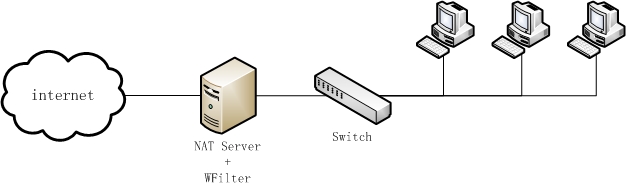
Figure 1
Routing and Remote Access is a network service in Microsoft Windows Server 2008, Windows Server 2003, and Windows 2000 Server that can provides Network address translator (NAT) for connecting a private network to the Internet. WFilter can be installed in a windows gateway server to monitor and filter internet activities.
The windows gateway needs two network cards. One adapter is connected to the internet, another is connected to local subnet.
Network topology diagram:
This tutorial will guide you to setup a windows 2003 gateway and how to configure WFilter to work in this gateway server. Steps to enable RRAS and setup WFilter:
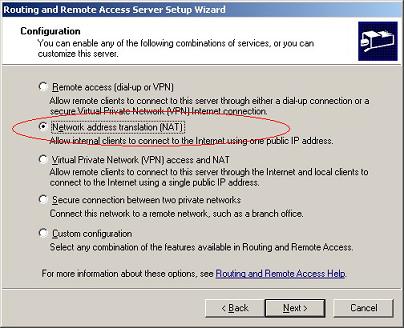
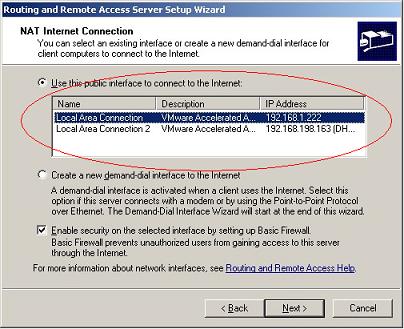
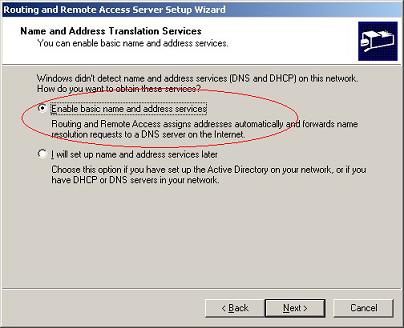
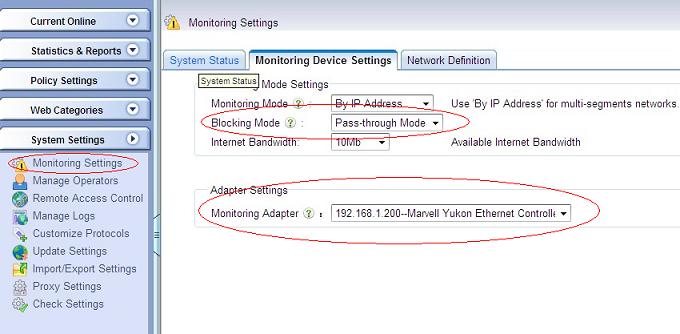
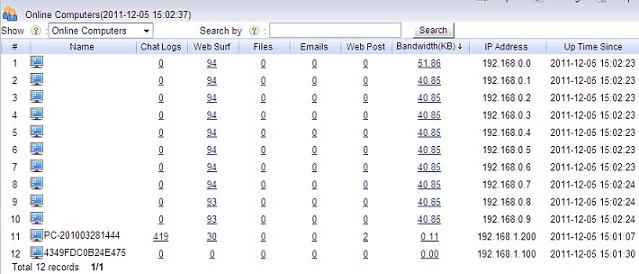
For pass-through filtering, you also need to install WFilter IMNPTF driver, please check: How to install WFilter IMNPTF driver?
For more WFilter deployment examples, please check: WFilter Deployment Examples.