How to install WFilter IMNPTF driver?
4.0
- Author:
- IMFirewall Software
- HomePage:
- http://www.imfirewall.us
WFilter IMNPTF driver is a network ndis driver for WFilter to block udp protocols in pass-through mode. This tutorial will guide you to install the IMNPTF driver in two ways.
Please notice that the IMNPTF driver does not support 64bit of vista/2008/win7.
1. Use "DevInstall" to install the IMNPTF driver
- In "drivers" directory of WFilter, you can find an exe file named "DevInstall.exe". Double click this file to launch it.
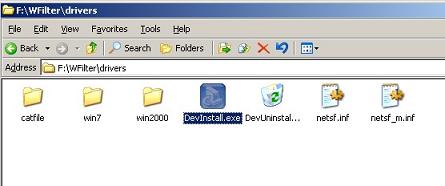
Figure 1
- Driver is being installed:
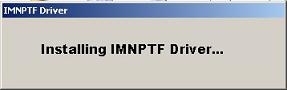
Figure 2
- Because the IMNPTF driver has not been signed by microsoft yet, it will prompt warnings during the installation. You need to choose "Continue" to continue the installation.
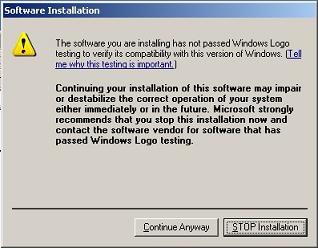
Figure 3
- Success
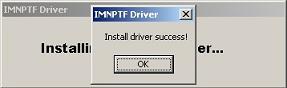
Figure 4
2. Install the driver from windows control panel
If the IMNPTF driver can not be successfully installed by "DevInstall.exe", you also can install the driver from windows control panel.
- Click "Properties" of a local network connection.
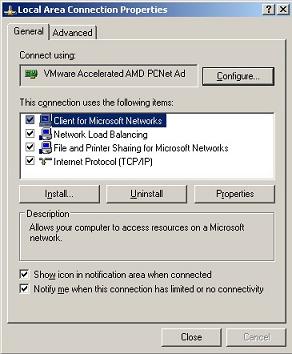
Figure 5
- Click "Install" -> "Service" -> "Add".
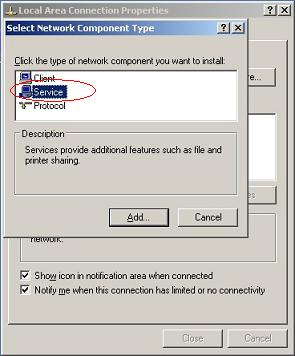
Figure 6
- Click "Have Disk...".
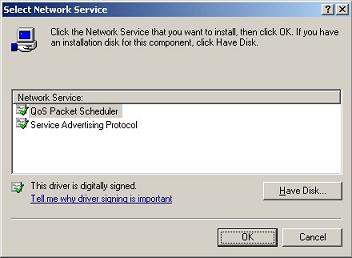
Figure 7
- Navigate to the "drivers" directory of WFilter, choose file "netsf.inf".
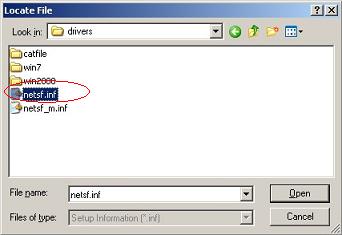
Figure 8
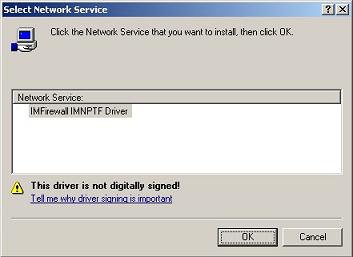
Figure 9
- Because the IMNPTF driver has not been signed by microsoft yet, it will prompt warnings during the installation. You need to choose "Continue" to continue the installation.
Figure 10
- Upon successful installation, you will be able to find "IMFirewall IMNPTF Driver" in "Properties" of local network connections.
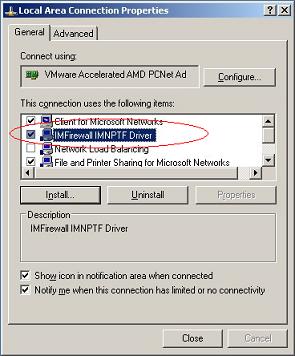
Figure 11
3. Check the IMNPTF driver in WFilter
WFilter shall be restarted for the first time installation of the IMNPTF driver. Please click "stop" then "start" in "System Settings"->"Monitoring Settings" of WFilter.
The click "System Settings"->"Check Settings" to check:
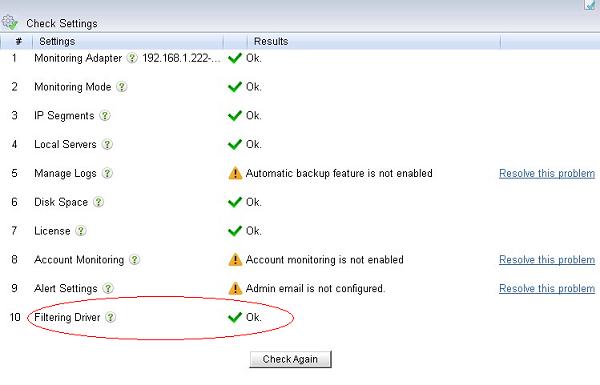
Figure 12